|
|
WHAT IS |
|
|
|
|
|
|
|
|
|
HOW TO |
|
|
|
|
|
|
|
|
|
|
|
|
|
|
|
|
|
LISTS |
|
|
|
|
|
|
|
|
|
|
|
|
|
|
OTHER |
|
|
|
|
|
|
|
|
|
|
|
|
|
|
|
|
|
|
|
|
|
VideoHelp.com Forum - VCD, SVCD and DVD Capturing, Encoding, Authoring and Playing
|
|
INDEX F.A.Q. SEARCH LATEST POSTS
Rules Register Profile Private messages Login
| Author |
Message |
disturbed1
Member
Joined: 22 Apr 2001
Location: the desert USA
|
|
Tools you'll need -
Avidemux
Varsha
DVDAuthor
Transcode
FFMPEG
Varsha is a standalone app that only needs java to be installed.
The other apps are available in RPM and DEB packages for most major (Mandrake, Fedora, Suse, PCLinuxOS, Debian, Mepis, Knoppix) Distros. I compiled them all on my Slackware and Vector Linux machines without too much trouble.
Step 1
Load your AVI into AVIDEMUX.
Hit CTRL-O to get the Select AVI File window.
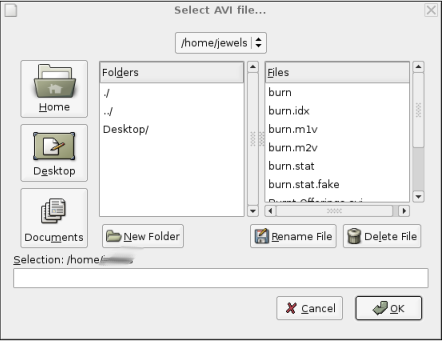
Avidemux will do a brief reading of the avi file to find out which codecs are used, and if there are any problems with the file.
This file happens to have vbr mp3, and is also VOP packed.
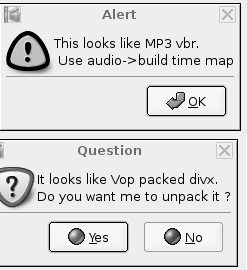
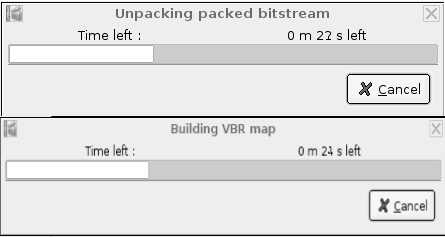
Let it unpack the file.
To fix the VBR audio, goto the audio menu, and choose Build VBR time map. This should be pretty quick.
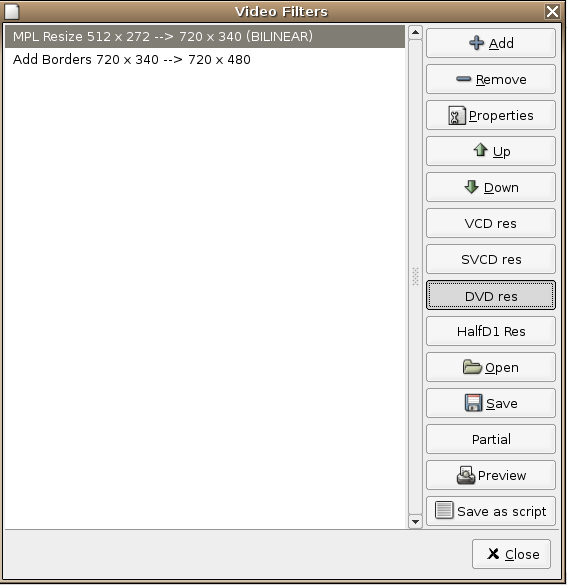
Time to resize and filter.
Avidemux includes default resize buttons for VCD, SVCD, DVD, and Half D1 resolutions. Makes it an easy one step process. The resize presets use MPlayer's bilinear resize, you can change this if you want. I usually use Lanczos resizing.
The filter collection is decent. Plenty of filters to deal with interlaced video, perfect for Cable TV captures, some noise filters, just wish there were more color correction tools
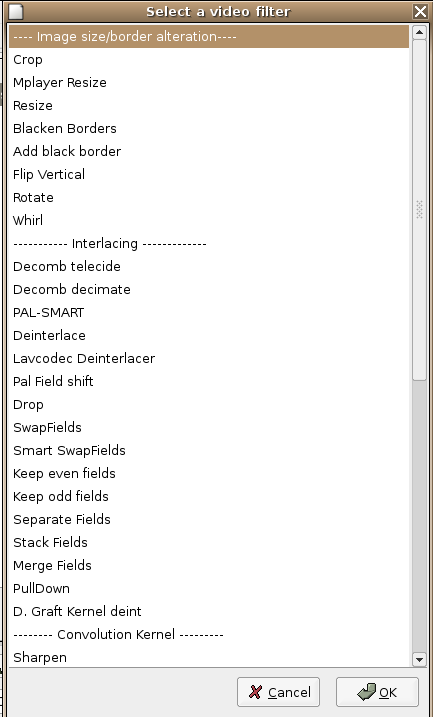 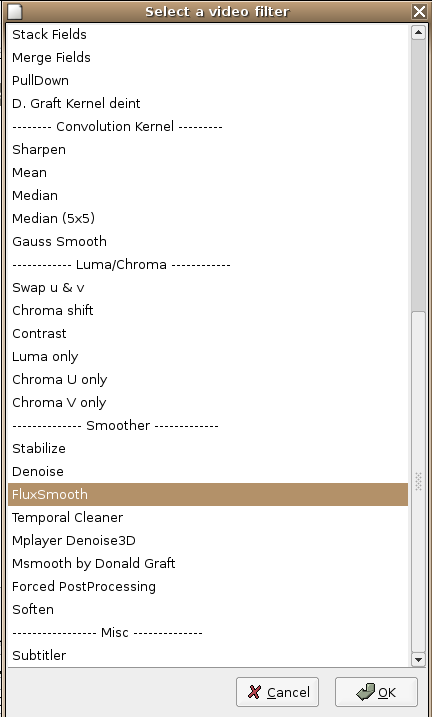
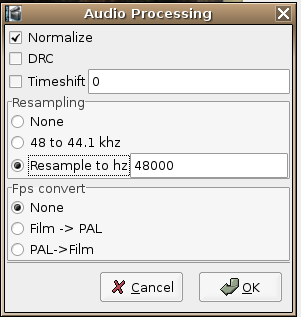
Audio Filters include a few basic functions (Normalize, Resample, DRC) if you need more filters try Audacity or somethng similar.
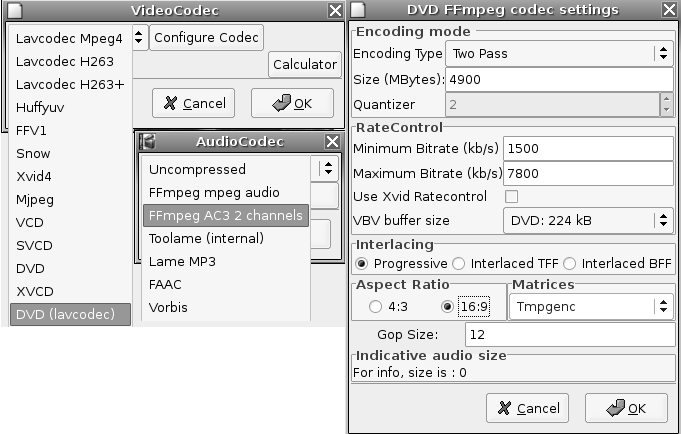
Time to set the output format/codecs. Since Avidemux interfaces with FFMPEG you'll have most of FFMPEG's output options. I'm creating a DVD, so I'll choose DVD LAVCODEC. If you choose just DVD, it does not use the FFMPEG encoder, but instead Transcode. Wich is rather slow, and doesn't have the same quality as FFMPEG IMO. Audio options are uncompressed, FAAC, OGG, Toolame MP2, lame MP3, or FFMPEG's AC3, and MPEG Audio.
You should use the built in calculator to see what bitrate you need to use.
Now it's time to encode the video and audio. Make sure you press the V Process (F5) and A Process (F6) buttons so Avidemux will process your video and audio. Choose FILE - SAVE - SAVE VIDEO (or hit CTRL-S). Choosing DVD PS won't work with FFMPEG as the encoder, you'll have to choose Transcode (DVD Preset).
Once the video is done, choose the Audio Menu, and select SAVE AUDIO (or CTRL-B).
Speed is pretty decent on Vector Linux (2.6.8 Kernel) and a Cele 1700 384 MB RAM.
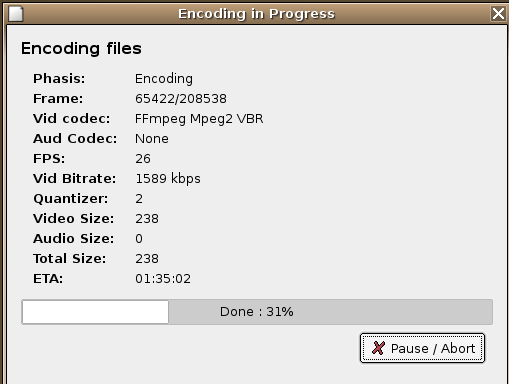
Create a DVD Program Stream with the .m2v and .ac3 you just encoded.
Use the open button in Avidemux, browse to your new .m2v and open it. Let the file be indexed. Now open the audio menu, and choose SOURCE - EXTERNAL AC3 (CTRL-3). This will load your files for multiplexing. Make sure process audio and process video are unchecked, or Avidemux will re-process your streams again.
Choose FILE - SAVE - SAVE AS DVD PS. This will create a multiplexed file out of the .m2v and .ac3 files you loaded.
On to authoring.
There are a couple of gui's for the dvdauthor package in Linux. Q DVD Author, DVD Styler, and Varsha (maybe more). I like Varsha for it's simplicity, and fact that there is no ./configure make make install required.
To open Varsha you have to have Java installed. Different distros put java in different places. My java executable happens to be in /usr/share/j2re1.4.2_05/bin/ . So I made a simple shell script
| Code: |
#!bin/bash
/usr/share/j2re1.4.2_05/bin/./java -jar /home/jewels/varsha.jar
|
Depending on your distro and LD config path, your setup will be different.
Launch Varsha (BTW no my name isn't jewels. That's my girlfriend, and I'm using her computer to write this on.)
For this guide we will only do a simple movie only author. (If you want menus, you should use Q DVD Author or DVD Styler, as there are reports that Varsha's menus do not work).
These screen shots should explain it. It really is this easy. Just drag and drop your mpg on top of the Disc folder icon. Then choose DVD - MAKE DVD ISO.
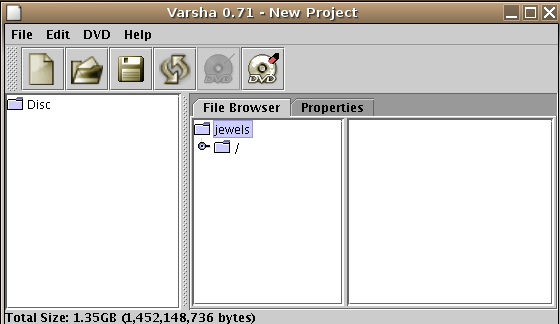
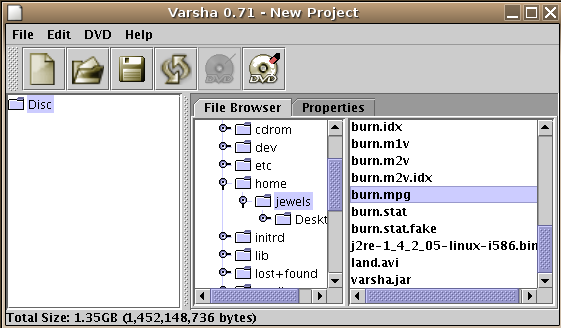
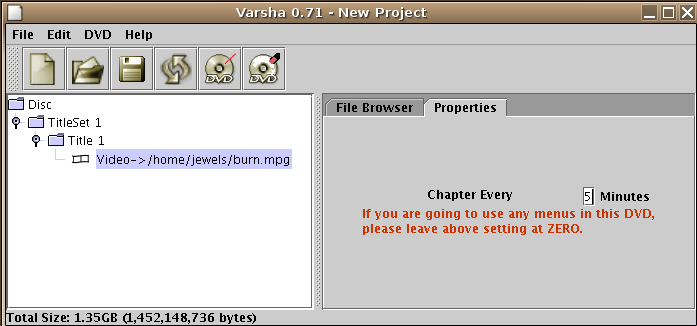
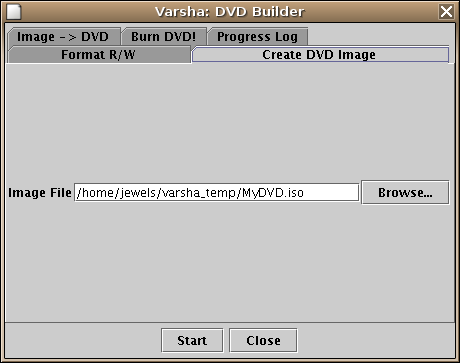
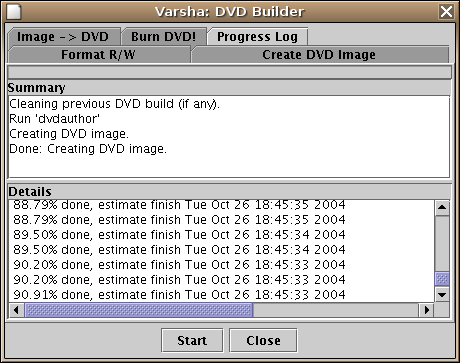
Once Varsha has compiled your image, burn the iso with your burner of choice (K3b, XCDRoast, gcombust, cdrecord.prodvd, or the built in burner with Varsha).
Disclaimer..........
I do not write guides. I am not an expert in anything. I've yet to see any guides for linux, hoping this will edge someone to write a more indepth and detailed one.
Any questions or comments, let me know.
|
|
DaveQB
Member
Joined: 22 Sep 2002
Location: Sydney
|
|
Excellent work disturbed1!
The only part that confused me was the saving of audio in avidemux. I use avidemux alot and from what i read it seemed that the audio was selected for processing when you saved the video and thus going into the same mpeg container as the video (ie already mutliplexed)
But ...
1. i have been using avidemux 2.0.26 (and have just now updated that)
2. i havent used avidemux for DVD mencoding yet.
So i could be wrong.
Is there any speed dfferences in using avidemux for ffmpeg mpeg2 encoding then command line ffmpeg mpeg2 encoding ?? (i have been having troubles with ffmpeg scripts and mpeg2 encoding)
I would imagine not, but i do find avidemux slower at lavcodec encoding then MEncoder.
Good job though.
_________________
1700+ JIUHB 0302 @2111 SLK-800
8RDA+ | nForce2 | 768 DDR PC2700 @201 | Samsung 'real' | Saphhire 8500LE @ 275/275 | Maxtor Viper 2x | 3x WD JB 120 gig
ICQ:65486505
Linux 2.6.8.1-12mdk i686 AMD Athlon(tm) XP 2600+ unknown GNU/Linux
|
|
|
|
|
You cannot post new topics in this forum
You cannot reply to topics in this forum
You cannot edit your posts in this forum
You cannot delete your posts in this forum
You can vote in polls in this forum
|
|
|
|
